How to play Doom co-op online in 2026
Set up Doom co-op online in 15 minutes.
Doom co-op is alive and well in 2026. You won’t find it on Steam matchmaking — the classic Doom community lives in dedicated source ports and a small handful of server browsers. This guide gets you from “I own Doom on Steam” to “I am playing co-op with a friend on a custom megawad” without the trial and error.
Before you start
- A legal copy of Doom or Doom II (Steam, GOG, the KEX re-release, or original CDs).
- A friend who wants to play co-op (or willingness to join a public server).
- A reasonably stable internet connection — Doom is light, but lag still matters.
You will need
- Zandronum (recommended for online multiplayer).
- Doomseeker (the de-facto server browser for Zandronum).
Steps
Step 1 · Install Zandronum
Go to zandronum.com/download and grab the latest Windows/Mac/Linux build.
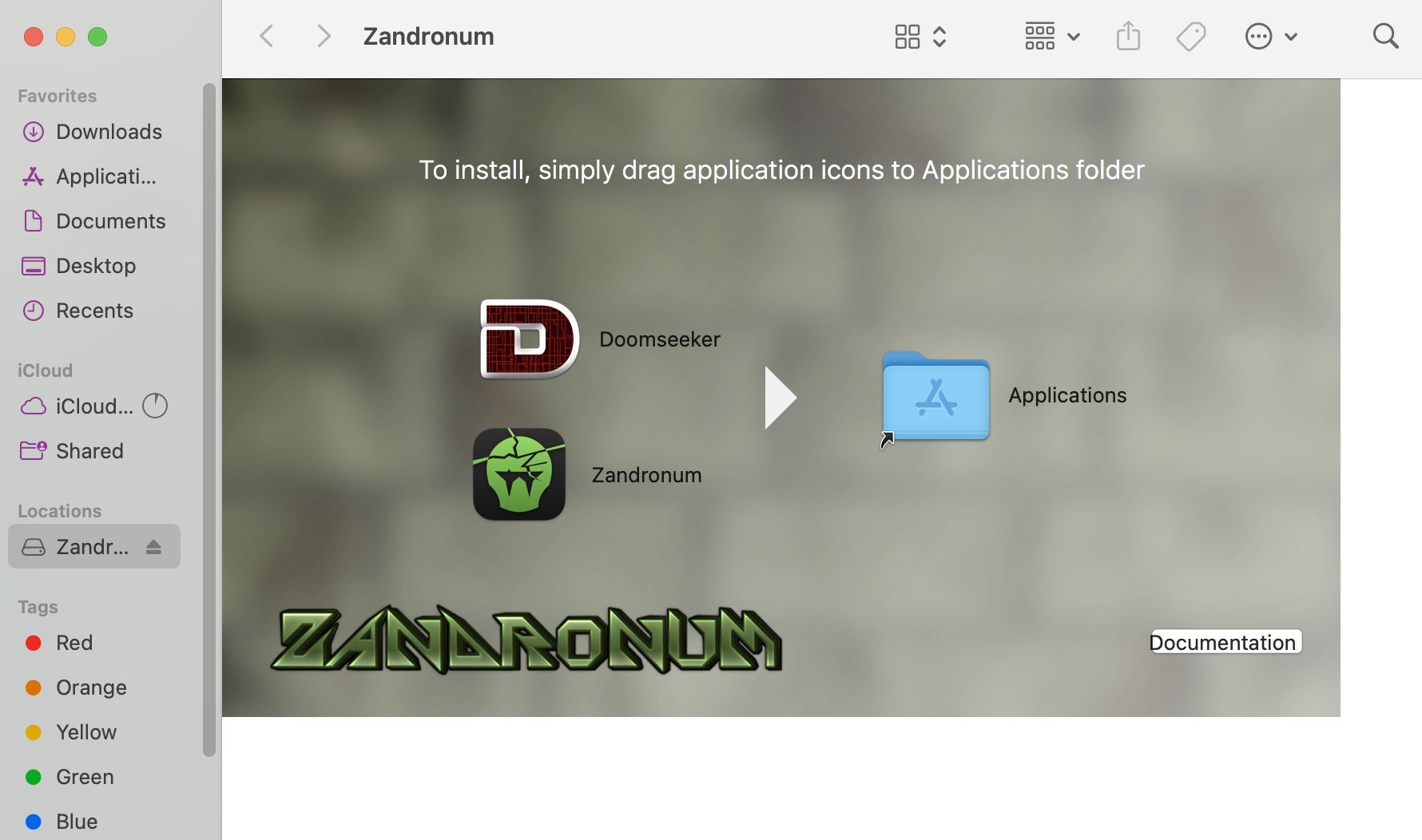
Drag both Zandronum and the bundled Doomseeker launcher into your Applications folder to complete installation on macOS.
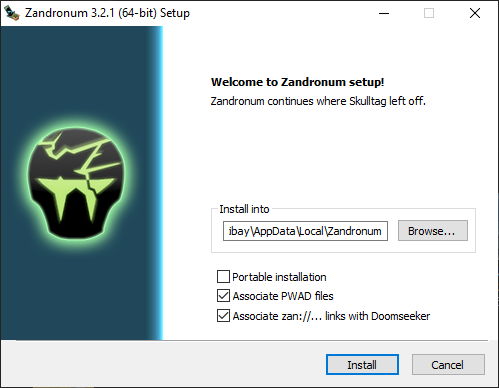
For Windows, keep the check box
Associate zan://... links with Doomseekerticked in the Zandronum setup window to download the accompanying Doomseeker launcher.Zandronum is the source port that owns the modern Doom multiplayer scene — better netcode than GZDoom for online play.
Step 2 · Drop your IWAD into Zandronum's folder
Copy
doom.wad,doom2.wad, orfreedoom2.wadinto the Zandronum install folder. Zandronum needs it there to launch.For macOS users: To locate the folder, press Cmd + Shift + G in Finder and type
~/Library/Application Support/Zandronum/. If there is no folder named Zandronum, create one and copy your WAD files there.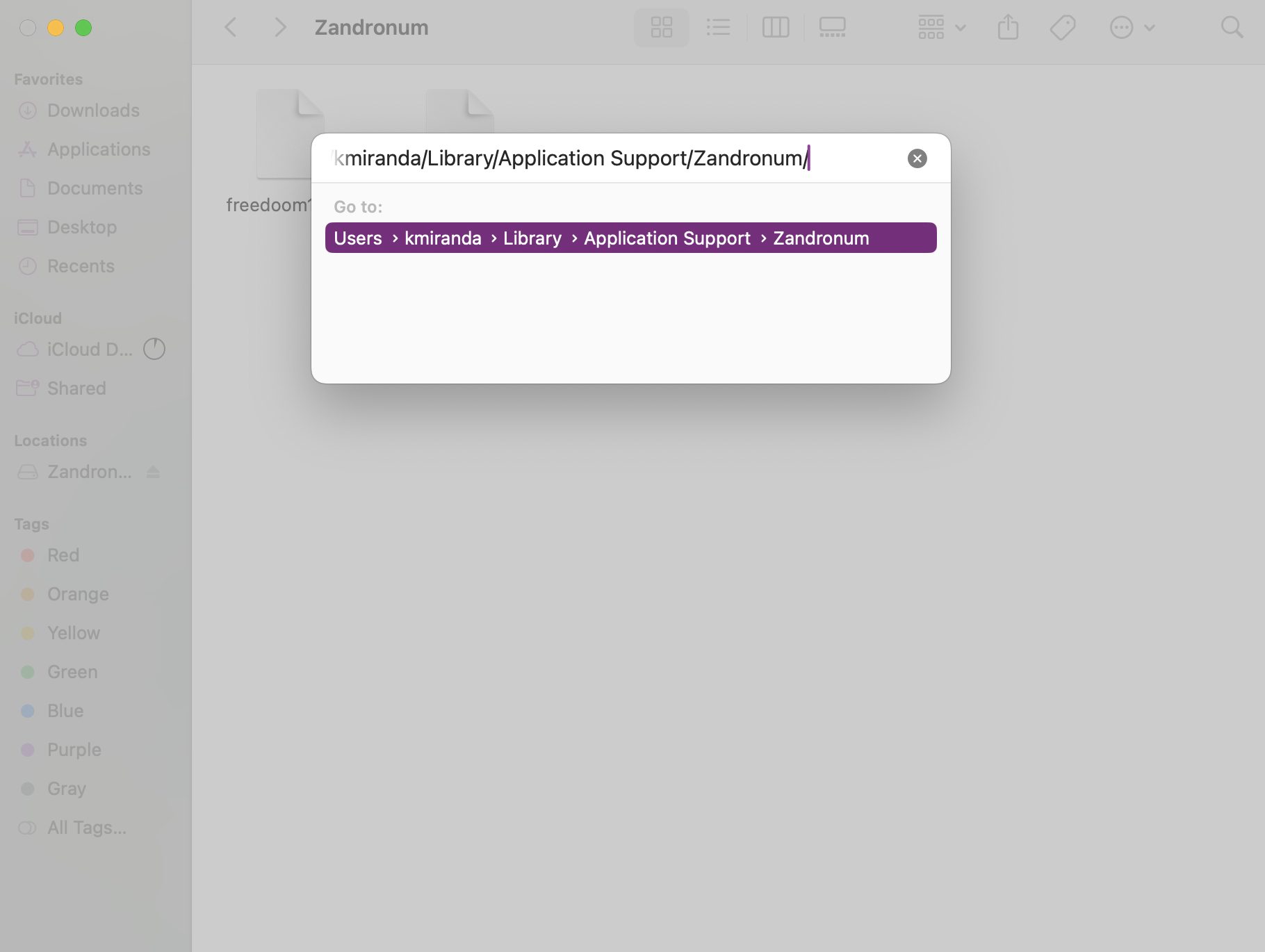
Step 3 · Set up Doomseeker
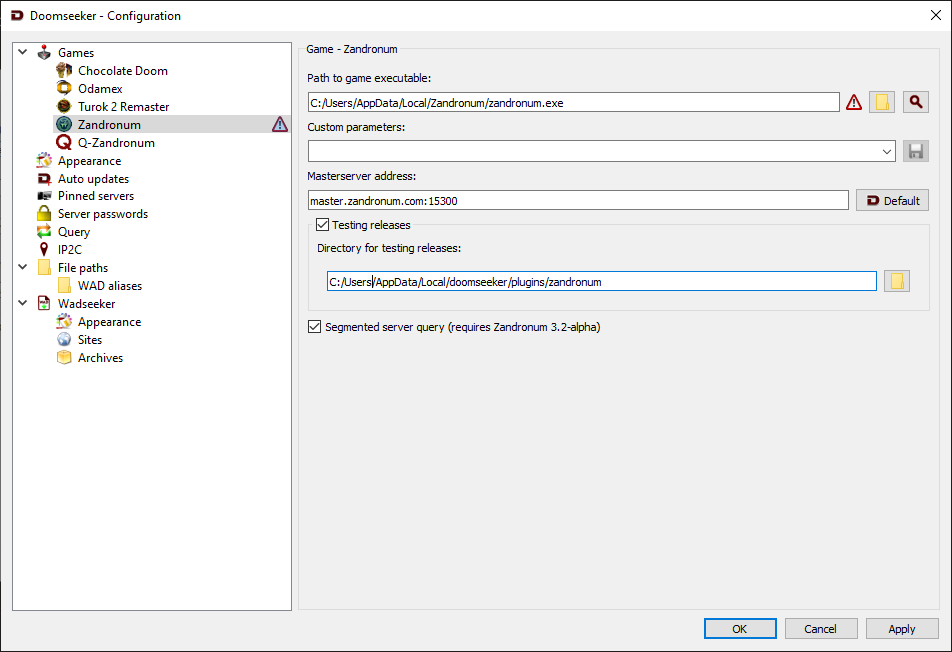
Doomseeker comes bundled with Zandronum on both Windows and macOS. On Windows it installs alongside Zandronum (you’ll see it in the installer’s component list), and on macOS it’s inside the same
.dmgyou downloaded in step 1. Only Linux users or standalone setups need to grab it separately from doomseeker.drdteam.org.Open Doomseeker once and check Options → Configure → Games: if the Zandronum executable isn’t detected automatically, point it there manually.
Step 4 · Find a co-op server
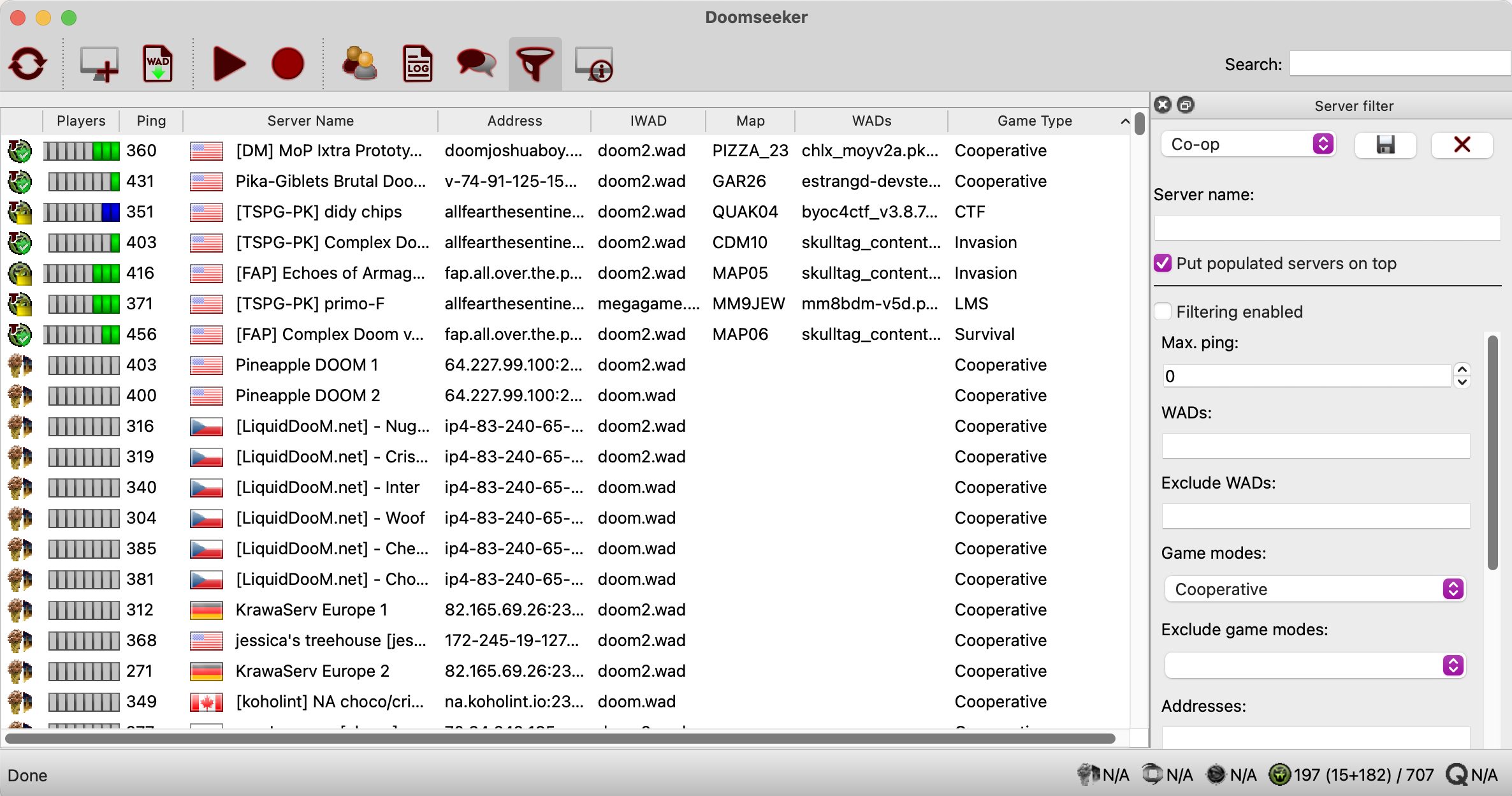
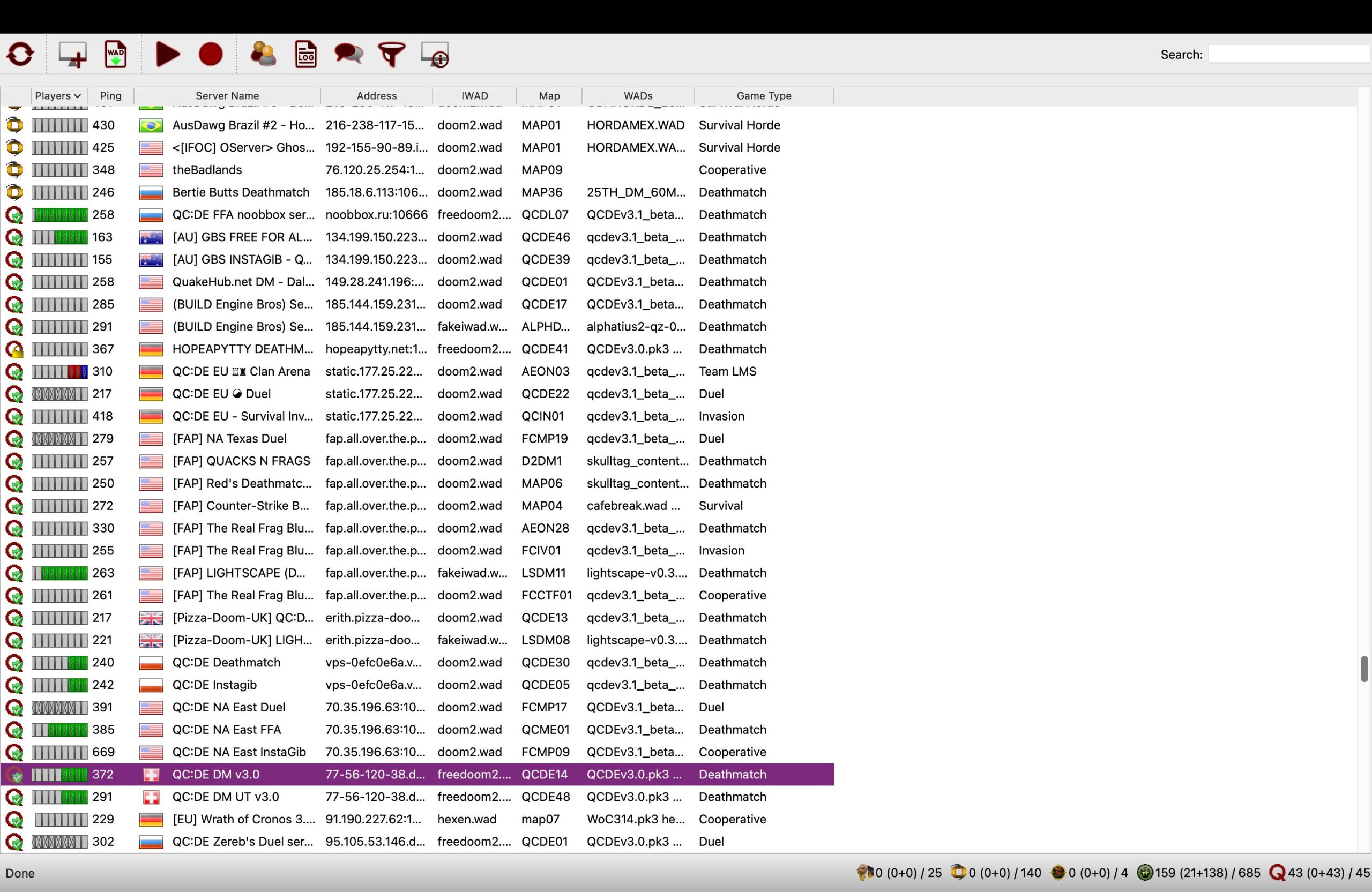
Open Doomseeker, refresh the server list, filter by game mode = Cooperative. Sort by ping and WAD requirement. Double-click a server you like — Doomseeker auto-launches Zandronum into it.
Note: make sure you have the required WAD for the server you are joining.
Step 5 · Host with a friend (instead)
Follow these steps:
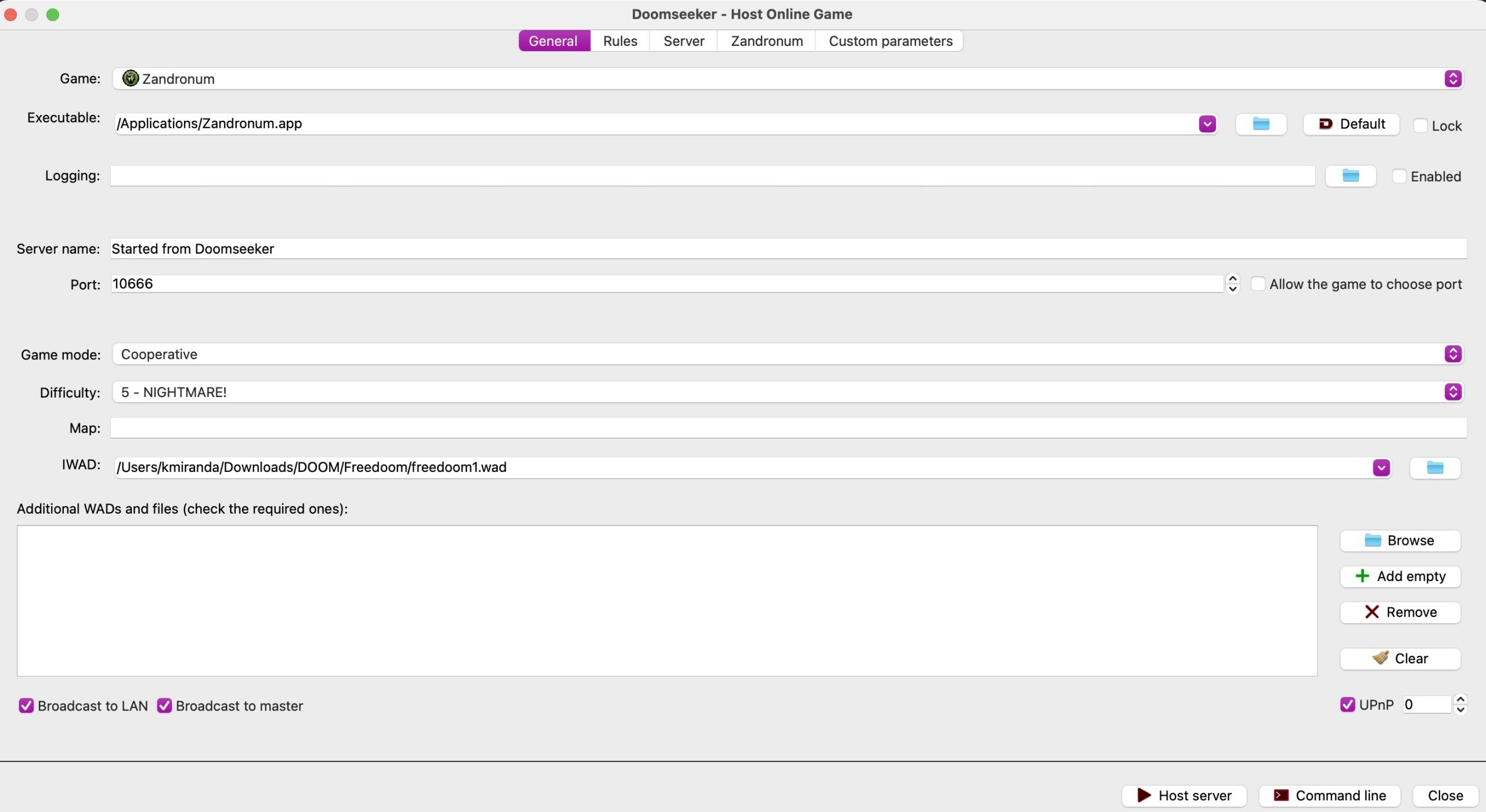
- Launch Doomseeker, go to File → Create game.
- Select your game (Zandronum).
- Click the folder icon on the right and select the Zandronum executable.
- Enter a name for your server (ex: “My Private Game”).
- Port: Leave set to 10666 (or check Allow the game to choose port).
- Choose your preferred mode (Cooperative) and set the difficulty level.
- Click the folder icon to select your game base file (e.g.
doom2.wadorfreedoom1.wad). - Keep Broadcast to master checked so your server appears in the public server list.
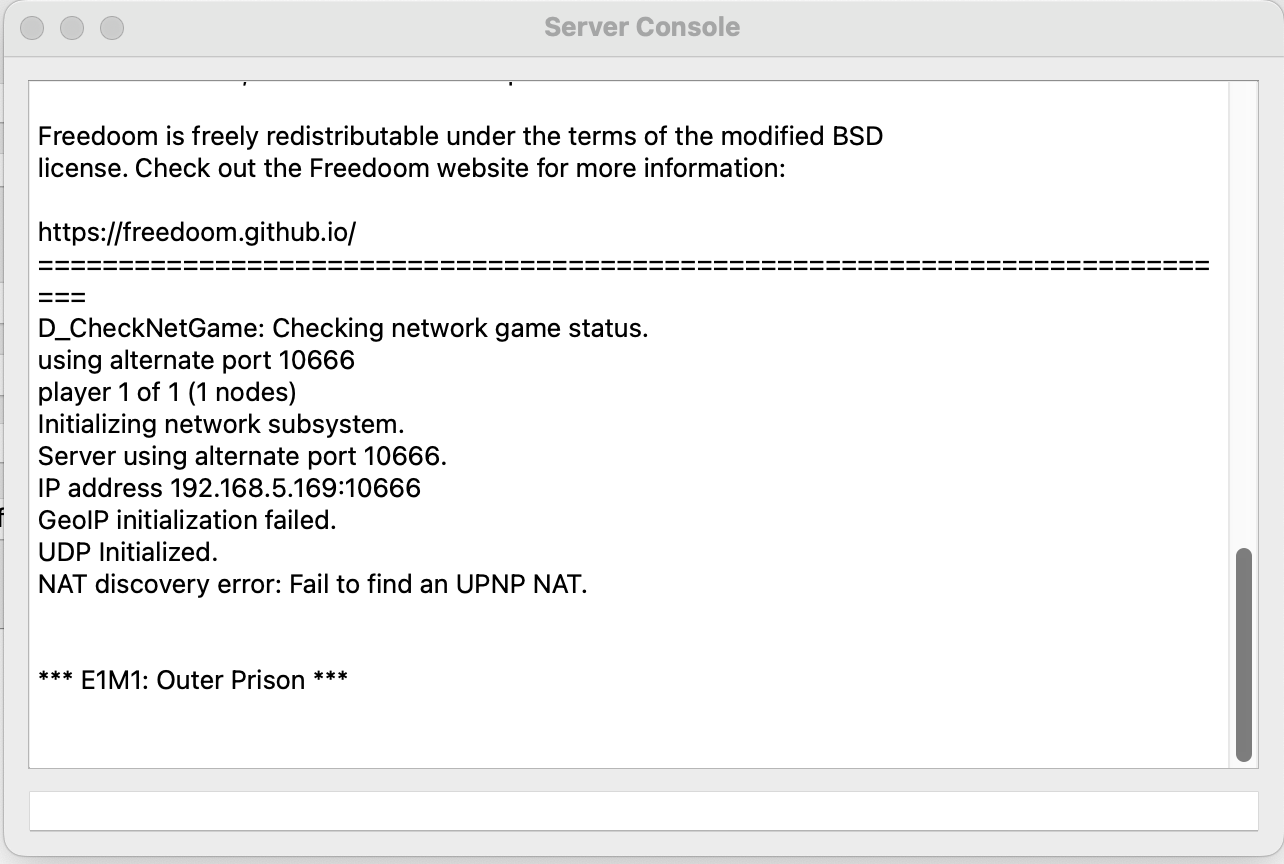
- Keep UPnP checked to attempt automatic port forwarding. If your router does not support UPnP, port-forward UDP 10666 manually or use a virtual LAN tool like ZeroTier/Hamachi.
- Click Host Server.
- Share your public IP with your friend so they can join via Doomseeker’s Custom Server option.
Frequently asked questions
Why Zandronum and not GZDoom?
GZDoom has great single-player and modding support, but its netcode for online play is rough. Zandronum descended from Skulltag, and prioritizes stable multiplayer scenes. It also features active servers.
Can I play with someone on the KEX re-release of Doom?
Not directly. The KEX re-release uses its own matchmaking and is its own ecosystem. To play with the classic-Doom community you both need Zandronum (or Odamex/ZDaemon for deathmatch).
What's the difference between Zandronum, Odamex and ZDaemon?
All three are multiplayer-focused source ports. Zandronum is the most populated and has the best mod support. Odamex focuses on vanilla-accurate deathmatch. ZDaemon is older, still has competitive deathmatch leagues.
Why can't I join some servers when using Freedoom?
Two common reasons. First, your Freedoom WAD version has to match the server’s version exactly, so if the server runs a different Freedoom release the join fails. Grab the version the server expects, or use a commercial doom2.wad, which avoids the problem. Second, some of the most populated servers, like the QC:DE ones, actually run Q-Zandronum, a fork of Zandronum with Quake-style movement and its own netcode. Those need the Q-Zandronum client from qzandronum.com rather than standard Zandronum.