Key features
- Vulkan, OpenGL & software renderers — runs on almost anything.
- ZScript modding — the most powerful Doom mod scripting available.
- Huge mod compatibility — the target engine for most modern mods.
- True 3D-style geometry — slopes, 3D floors, dynamic lights.
- Built-in launcher — pick your IWAD and load mods without the command line.
- Multi-game — Doom, Doom II, Heretic, Hexen, Strife & Chex Quest.
- Quicksave anywhere + autosaves and full options menus.
- Free & open-source — GPL-licensed, no cost, no ads.
What is GZDoom?
GZDoom is among the most widely used source ports for the classic Doom engine. A source port is a modernized version of the original game’s code that lets decades-old games like Doom (1993) run natively on current operating systems, in high resolutions, with modern controls — while staying faithful to how the games actually played.
It descends from a long lineage: id Software released the Doom source code in 1997, which led to ZDoom, and GZDoom is the OpenGL/Vulkan-rendering branch of ZDoom that became the de facto standard. Where the original engine was limited to flat levels and software rendering, GZDoom adds true 3D-style geometry (slopes, 3D floors), dynamic lighting, and a full scripting language, ZScript, that most modern mods are built on.
If you want to play almost any Doom mod made today — from subtle gameplay tweaks to total conversions — GZDoom is the port to install first. Its multiplayer-focused cousin Zandronum comes out of the Skulltag lineage (itself built on ZDoom), giving it common ZDoom roots with GZDoom. Zandronum is a better choice when dedicated online multiplayer is the priority.
GZDoom and UZDoom: what’s the difference?
GZDoom originated as the hardware-accelerated branch of the ZDoom family and became the dominant modern target for Doom mods. In October 2025, the ZDoom organization announced that it would no longer have GZDoom as its main port and introduced UZDoom (Ultimate ZDoom) as the organization’s continuation. Christoph Oelckers, GZDoom’s long-time lead developer, continued maintaining GZDoom independently.
UZDoom began as a continuation of the GZDoom codebase, with the stated intention of maintaining backwards compatibility. UZDoom’s first official stable release was 4.14.3, released in November 2025. It subsequently moved to the 5.x version series, with UZDoom 5.0 becoming the project’s new major release.
The distinction is especially important now because the official ZDoom downloads page has reorganized the projects into Current and Historical categories. As of August 2026, it lists GZDoom as a Historical port and UZDoom 5.0 as its successor.
This does not mean that GZDoom has vanished or that existing GZDoom mods suddenly stop working. GZDoom continues as an independently maintained project, with its own repository and release history. While GZDoom remains an important and widely supported Doom source port, UZDoom is now the official continuation presented by zdoom.org.
For a new player, the practical distinction is:
- GZDoom: the independently maintained continuation of the GZDoom project under Christoph Oelckers.
- UZDoom: the ZDoom organization’s continuation of the GZDoom codebase and development direction.
- Existing GZDoom mods: generally remain relevant because UZDoom was explicitly designed with backwards compatibility in mind.
What does “mod compatibility” actually mean?
GZDoom implements a very large set of Doom-engine extensions and modding systems, making it the intended or supported engine for a particularly large portion of modern Doom content.
Brutal Doom, for example, is a gameplay modification that appears in the ZDoom Wiki’s Doom II mod catalogue. Its extensive changes to weapons, monsters, effects and gameplay are the sort of modern modding functionality for which the ZDoom/GZDoom family is commonly used.
Doom Delta is another clear example. DoomWiki identifies it specifically as a GZDoom gameplay mod, with custom player characters, weapons, monsters and other gameplay systems.
Time Tripper goes further toward a partial conversion: DoomWiki identifies it as a Doom II/GZDoom project with custom monsters, weapons, items, music and its own campaign content.
Essentially, mod “compatibility” here means that GZDoom provides the engine features these projects were designed around, rather than merely accepting old vanilla WAD files.
There is an important qualification, however. Compatibility does not mean arbitrary mods are guaranteed to work together. Two gameplay mods may both attempt to replace the same weapons, monsters or player systems, and their changes can conflict even though each mod works correctly by itself. A total conversion may also require a particular GZDoom version or configuration.
For the best results, check a mod’s documentation for its required source port and recommended version, and load-order requirements. If a project says it requires GZDoom, that requirement is meaningful: it may depend on features such as ZScript, advanced map formats, 3D floors, custom actors or other extensions that vanilla-compatible ports do not provide.
GZDoom settings for new users
GZDoom exposes an unusually large number of rendering options. That is one of its strengths, but it also means that the first launch can produce results that look noticeably different from original Doom. Three settings are particularly worth understanding.
vid_rendermode: which renderer is actually being used?
vid_rendermode controls GZDoom’s rendering mode. In the current source, the value is a global console variable, and the engine distinguishes the hardware-accelerated renderer from the software rendering paths. The hardware mode is represented by value 4 in the current GZDoom source.
For most players using a modern PC, hardware rendering is the normal choice. GZDoom can use modern hardware backends while retaining a software-rendering option for players who specifically want it. Changing it can change which rendering path is responsible for drawing the game, and therefore which lighting and graphical features are available.
For normal modern play, leave the renderer at its default unless you have a specific reason to change it.
Texture filtering: why does Doom look blurry?
Texture filtering is one of the first things longtime Doom players notice when switching to GZDoom.
Original Doom’s artwork was designed around crisp, low-resolution pixels. Hardware rendering can apply filtering when textures are enlarged, making those pixels blend together. At high resolutions this can produce a smoother image, but it can also make classic Doom textures look noticeably soft or blurry.
GZDoom exposes texture-filtering controls rather than forcing users to accept one presentation. The underlying configuration includes the gl_texture_filter setting. If you want classic, sharp-looking Doom artwork, try disabling texture filtering. If you prefer a smoother modern presentation, leave filtering enabled.
| Value | Filtering |
0 | None |
1 | None (nearest mipmap) |
2 | Linear |
3 | Bilinear |
4 | Trilinear (default) |
This is largely a matter of taste rather than performance. A player coming from Chocolate Doom or another pixel-crisp source port may immediately prefer filtering off, while someone accustomed to modern GZDoom projects may prefer the smoother result.
It is also worth remembering that a mod can contain high-resolution textures of its own. A setting that looks perfect for vanilla Doom may not necessarily be the author’s intended presentation for a heavily modernized total conversion.
Light mode: why does the lighting look different?
GZDoom provides several lighting models, and this can make a familiar Doom map look substantially different from the original game.
The lighting system is not simply a brightness control. Different light modes change how sector lighting is calculated and displayed, ranging from models intended to reproduce the appearance of classic Doom to more modern lighting behavior. GZDoom’s map-definition system also allows content to specify lighting behavior, which is one reason changing global lighting settings can sometimes produce unexpected results in custom maps.
| Value | Model |
0 | Standard — brightest, least accurate to vanilla |
1 | Bright |
2 | Doom |
3 | Dark (default) |
8 | Software — GLSL emulation of the original software renderer’s light tables, the closest hardware-mode match to vanilla |
If a map or mod’s lighting looks “off” compared to what a screenshot or video shows, gl_lightmode 8 is usually the fix — it’s built specifically to reproduce the original engine’s light-falloff math rather than approximate it.
For a player trying to reproduce the original Doom appearance, the more modern lighting modes are not necessarily the best choice. Conversely, a GZDoom-designed map may have been authored with its intended lighting model in mind, so changing the global setting can make it look different from the author’s presentation.
The safest approach for new users is to leave the light mode at its default initially. Change it only when you have a specific reason — for example, when trying to reproduce a classic visual style or troubleshoot a mod whose lighting looks wrong.
A good starting point
If you are installing GZDoom primarily to play classic Doom while retaining modern controls and compatibility, you do not need to configure hundreds of options before playing. A sensible first setup is:
- Renderer: leave the hardware renderer enabled.
- Texture filtering: disable it if you want crisp, original-style Doom pixels.
- Light mode: leave the default unless you are deliberately trying to reproduce a particular visual style.
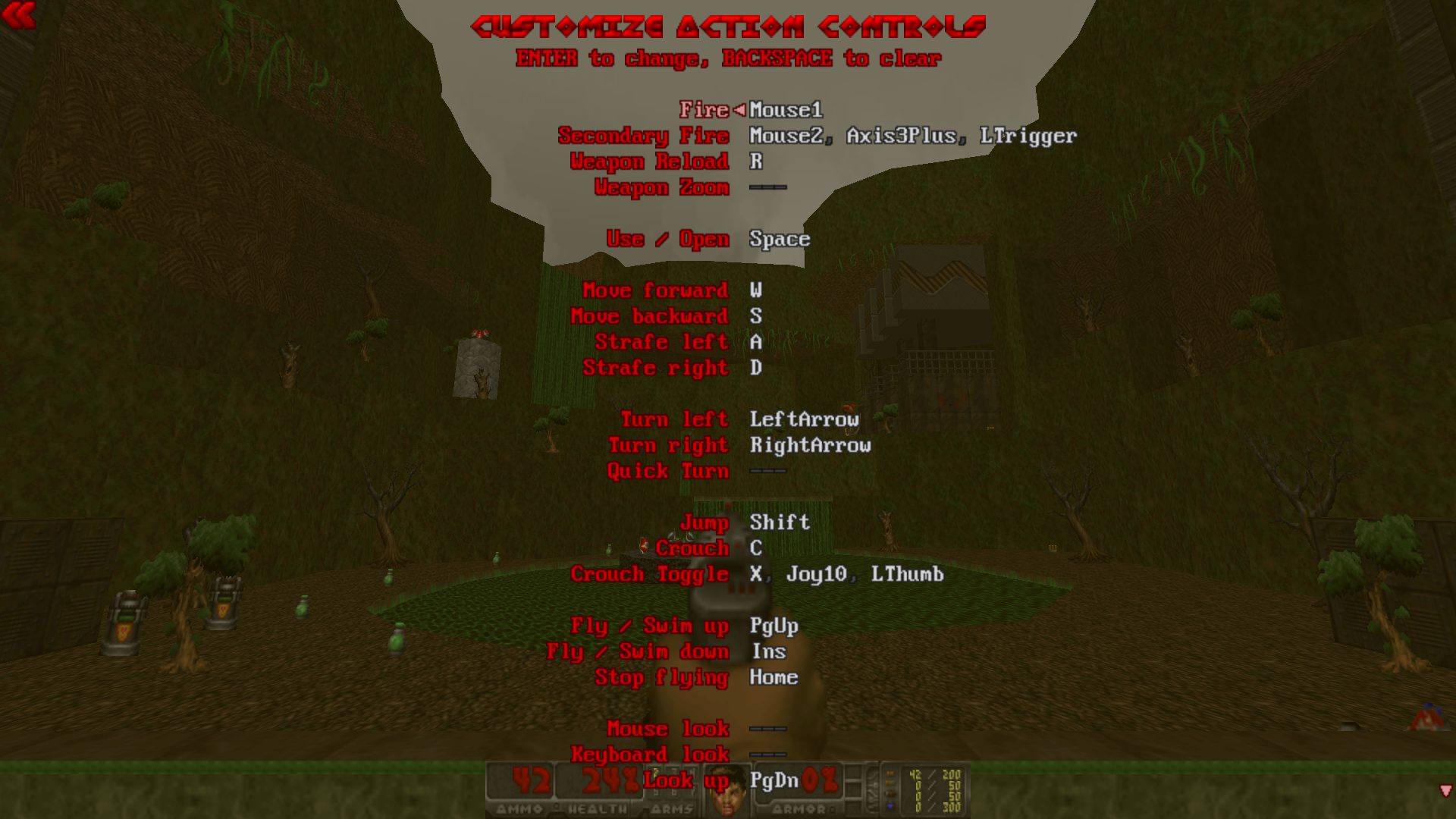
- Controls: configure mouse look, movement and weapon bindings to your preference.
- Mods: check the author’s recommended GZDoom version and required load order before combining multiple gameplay mods.
GZDoom launcher and IWAD detection
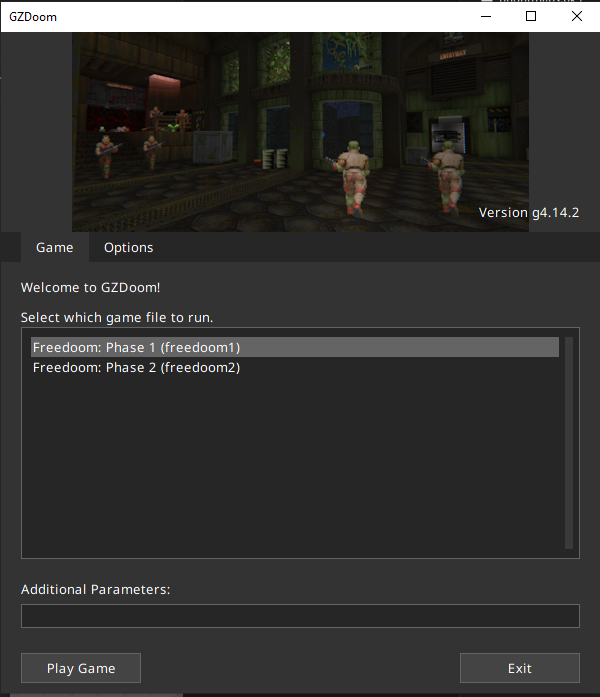
GZDoom does not require a separate frontend just to get started. When you launch the executable, its built-in startup launcher can scan for available IWADs and present the games it has identified. The launcher is part of GZDoom itself rather than a separate program, and the current source code includes a dedicated IWAD manager that scans candidate directories, validates WADs and identifies the game they contain.
Step 1: put your IWAD somewhere GZDoom can find it
GZDoom needs the original game data — an IWAD — to provide the actual Doom, Doom II, Heretic, Hexen or other supported game’s content. The source port supplies the engine; it does not supply commercial Doom IWADs.
The simplest Windows setup is to place doom.wad or doom2.wad in a location GZDoom searches. You can also keep your IWADs elsewhere and select or specify them through the launcher. GZDoom’s IWAD system is not simply looking for a file with a particular filename: it examines the WAD and identifies the game it represents. The engine’s source contains separate routines for scanning IWAD candidates and checking their contents.
If you have several IWADs installed, GZDoom can therefore present multiple games at startup rather than requiring you to launch a different executable for each one.
Step 2: start GZDoom
Run gzdoom.exe. If GZDoom finds more than one usable IWAD, the launcher displays the detected games for you to choose from. Select the game you want to play and continue.
Recent GZDoom releases have deliberately kept the IWAD selection accessible: the launcher can display the IWAD picker even when there are multiple possible games, while command-line options such as -iwad can be used when you want to specify the game explicitly.
If GZDoom reports that it cannot find an IWAD, check that you actually have a valid game WAD and that it is in a directory GZDoom searches. You can also use the explicit -iwad parameter to point GZDoom at a particular file.
Step 3: load a WAD or PK3
Once the IWAD is selected, you can load additional content such as a pwad or pk3. For a quick test, dragging a compatible wad or pk3 file onto the GZDoom executable is a straightforward way to launch it.
For new users, the practical workflow is:
- Load the IWAD
- Choose the game
- Load the mod
- Play
That is considerably simpler than manually constructing command-line arguments, but the built-in launcher should not be confused with a full-featured mod manager. Its core job is to prepare the game’s startup configuration and, in particular, identify and select the IWAD. GZDoom itself remains responsible for loading the additional WADs and PK3s.
How to install GZDoom
// From zero to playing — step by stepDownload the port from the official source
Grab the latest build from zdoom.org (see the download box). Unzip it anywhere — GZDoom is portable and doesn’t need an installer.
Get an IWAD (the game data)
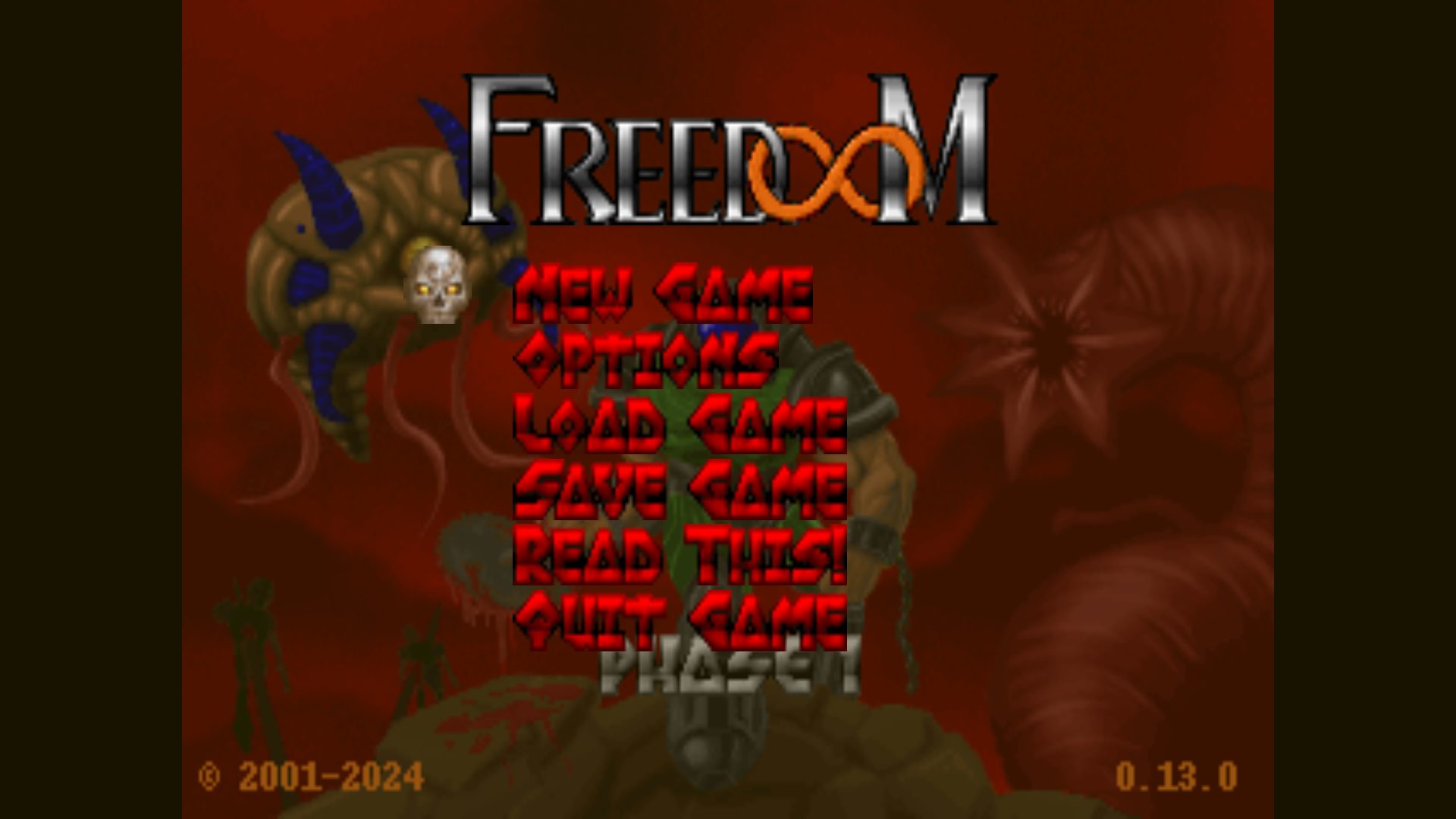
GZDoom is just the engine — it needs a game file called an IWAD (e.g. doom2.wad). Own Doom on Steam or GOG? Copy the WAD from your game folder. Don’t own it? Use Freedoom, a free, license-clean IWAD.
Run GZDoom & pick your game
Launch gzdoom.exe. Drop your IWAD next to it (or point the launcher at it) and GZDoom lists every game it finds. Select one and you’re in.
Load a mod
Drag any compatible .pk3 or .wad mod onto gzdoom.exe, or add it in the launcher’s file list. That’s it.

GZDoom system requirements
GZDoom vs other source ports
Need to pick between ports?
Short version: GZDoom handles most needs. For the full comparison and our ranked list, see the dedicated pages.
Frequently asked questions
Is GZDoom free?
Yes. GZDoom is free and open-source software, released under the GPL. There is no cost, no trial, and no ads. You only need to legally own a game IWAD (or use the free Freedoom) to play.
Is GZDoom safe to download?
Yes, when you download it from the official source (zdoom.org or the official GitHub releases). It is open-source, so the code is publicly auditable. Avoid third-party mirrors — we link only to the official source, and we host no binaries ourselves.
Do I need the original Doom to play?
No. You don’t specifically need the original Doom release. GZDoom requires a compatible IWAD; commercial IWADs or Freedoom can provide the necessary game data.
GZDoom vs Zandronum — which should I install?
GZDoom for single-player and the latest mods; Zandronum for online multiplayer. They share a lineage but have diverged: GZDoom tracks bleeding-edge ZScript; Zandronum prioritizes stable netcode.
Does GZDoom require a powerful PC?
Not necessarily. Basic Doom maps are extremely lightweight by modern standards, and GZDoom can run them on relatively modest hardware.
The demanding part is modern content. High-resolution textures, dynamic lighting, 3D geometry, particle effects and elaborate maps can require substantially more GPU performance than the original Doom engine.
In essence, vanilla Doom in GZDoom is much less demanding than a modern total conversion packed with high-resolution assets and dynamic effects.
Does GZDoom support multiplayer?
Yes. GZDoom has multiplayer support, including cooperative and deathmatch gameplay. Its networking implementation is designed around GZDoom’s extended game features rather than trying to reproduce the original Doom networking model exactly.
For players primarily interested in competitive multiplayer, however, dedicated multiplayer-oriented ports like Zandronum or Odamex may be a better fit.
Is GZDoom still being developed?
GZDoom continues to exist as an independently maintained project. However, its relationship with the broader ZDoom project changed after the separation that produced UZDoom.
The distinction is important because GZDoom and UZDoom are now separate projects. The official ZDoom website currently treats GZDoom as historical and identifies UZDoom 5.0 as its successor, while GZDoom continues its own development through its GitHub project.
Should I use GZDoom or UZDoom?
Choose GZDoom if you specifically want the current GZDoom project and its established ecosystem.
Choose UZDoom if you want the continuation maintained under the ZDoom organization. UZDoom was developed from the GZDoom codebase, so the two projects have substantial common ground, but they are now distinct projects with their own development paths.
For a mod you particularly want to play, the best choice is often simply the source port and version recommended by the mod’s author.
Sources
- EXT Official GZDoom site zdoom.org
- EXT GZDoom on GitHub github.com
- EXT ZDoom Wiki — GZDoom zdoom.org